
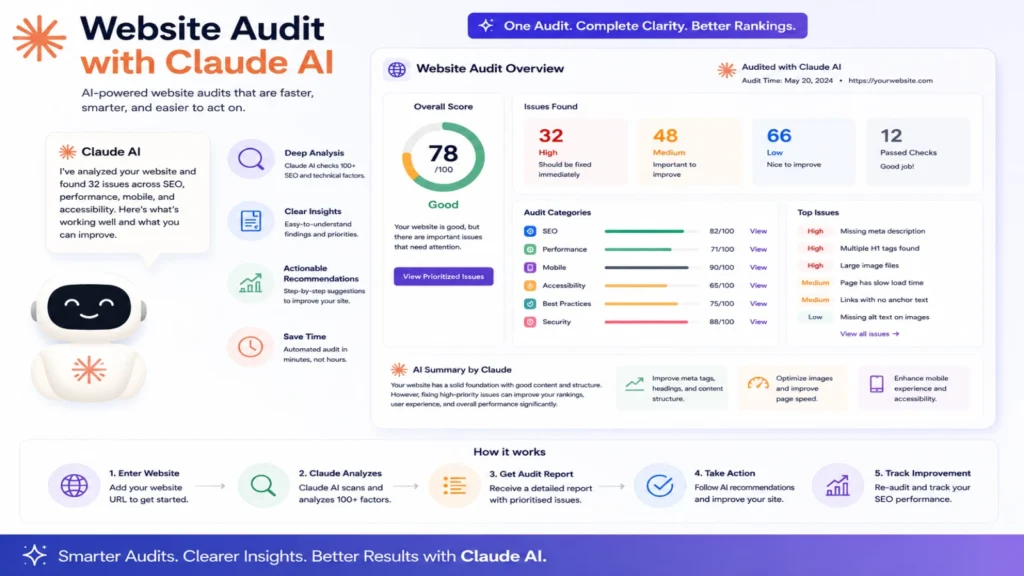
Auditing a website used to mean juggling several separate tools. One tool for meta tags. Another for site speed. A third for broken links. Claude has changed that by bundling these audit types into specific, named skills. Here’s exactly what each one actually checks.
The Full Site Audit
This is the broadest audit available. It’s triggered using the command /searchfit-seo:seo-audit followed by a URL. It reviews crawlability, meta tags, headings, images, structured data, and internal linking together. It also checks mobile and accessibility basics in one pass. The output gets scored from 0 to 100. Issues get sorted into critical, warning, and opportunity tiers. This is the right starting point for a first-time audit.
The Quick Check
Sometimes a full audit is overkill for a single page. The quick check version handles that situation instead. It’s triggered with /searchfit-seo:seo-check followed by a URL. It gives a fast pass or fail readout on the basics. Title tags, meta descriptions, headings, images, and canonical tags all get checked. This is built for speed, not depth. It works well between fixes, confirming a change actually worked.
The Technical SEO Audit
This audit focuses specifically on infrastructure, not content quality. The /searchfit-seo:technical-seo command checks site speed and Core Web Vitals. It also reviews crawlability, indexation, robots.txt, and sitemap health. Render-blocking resources get flagged here too. This is the right audit when a site feels slow or pages aren’t getting indexed properly.
The On-Page SEO Audit
This audit targets one specific page around one specific keyword. It’s triggered with /searchfit-seo:on-page-seo. It needs a target keyword, search intent, and audience upfront. With that context, it reviews the title tag, meta description, and headings. It then suggests exact rewrites, not just vague feedback. This works best when optimizing a page for a real campaign.
The Broken Links Check
Dead links quietly damage both user trust and crawl efficiency. This skill runs through /searchfit-seo:broken-links. It finds broken internal and external links across a site. It helps identify exactly what needs fixing or removing. Running this periodically catches problems before they pile up unnoticed.
Claude Website Audit Skills: A Practical Breakdown
Auditing a website used to mean juggling several separate tools. One tool for meta tags. Another for site speed. A third for broken links. Claude has changed that by bundling these audit types into specific, named skills. Here’s exactly what each one actually checks.
The Full Site Audit
This is the broadest audit available. It’s triggered using the command /searchfit-seo:seo-audit followed by a URL. It reviews crawlability, meta tags, headings, images, structured data, and internal linking together. It also checks mobile and accessibility basics in one pass. The output gets scored from 0 to 100. Issues get sorted into critical, warning, and opportunity tiers. This is the right starting point for a first-time audit.
The Quick Check
Sometimes a full audit is overkill for a single page. The quick check version handles that situation instead. It’s triggered with /searchfit-seo:seo-check followed by a URL. It gives a fast pass or fail readout on the basics. Title tags, meta descriptions, headings, images, and canonical tags all get checked. This is built for speed, not depth. It works well between fixes, confirming a change actually worked.
The Technical SEO Audit
This audit focuses specifically on infrastructure, not content quality. Use the /searchfit-seo:technical-seo command to run it. It checks site speed and Core Web Vitals directly. It also reviews crawlability, indexation, robots.txt, and sitemap health. Render-blocking resources get flagged here too. This is the right audit when a site feels slow or pages aren’t getting indexed properly.
The On-Page SEO Audit
This audit targets one specific page around one specific keyword. It’s triggered with /searchfit-seo:on-page-seo. It needs a target keyword, search intent, and audience upfront. With that context, it reviews the title tag, meta description, and headings. It then suggests exact rewrites, not just vague feedback. This works best when optimizing a page for a real campaign.
The Broken Links Check
Dead links quietly damage both user trust and crawl efficiency. This skill runs through /searchfit-seo:broken-links. It finds broken internal and external links across a site. It helps identify exactly what needs fixing or removing. Running this periodically catches problems before they pile up unnoticed.
How These Audits Actually Work Together
A realistic workflow combines several of these skills in sequence. Start with a full site audit to establish a baseline first. Use the technical audit separately if speed or indexing looks like the issue. Apply the on-page audit to specific pages tied to active campaigns. Run the broken links check on a regular, recurring basis. Use the quick check to confirm each fix actually worked afterward.
What These Audits Can and Can’t Do
These skills read live pages and reason about what they find. They can flag structural issues, missing elements, and clear technical problems. What they can’t do is pull live ranking or traffic data automatically. That still requires exporting reports from tools like Search Console directly. Once exported, that data can be pasted in for further analysis.
They also can’t crawl an entire large site automatically in one pass. For sites with thousands of pages, a dedicated crawler still helps. Claude works best auditing specific pages or a representative sample directly.
Getting Better Results from These Audits
Being specific dramatically improves what comes back from any audit. Provide the actual URL rather than describing the page vaguely. For on-page audits, always include the real target keyword and audience. Treat every audit finding as something worth verifying, not a final answer. Fixes should still get tested after being applied to the live site.
The Bottom Line
Claude’s website audit skills turn a scattered, multi-tool process into a guided one. Full audits establish a baseline. Technical audits target infrastructure specifically. On-page audits optimize individual pages around real keywords. Broken link checks catch quiet, ongoing damage before it compounds. Used together, they cover most of what a manual audit process used to require.
Frequently Asked Questions
Which audit should I run first on a brand-new site?
Start with the full site audit for a broad baseline. That result usually points toward which deeper audit to run next.
How often should I re-run these audits?
A full audit every few months is generally reasonable for most sites. Quick checks work well after any specific change or fix.
Can these audits replace a dedicated SEO crawler tool?
Not entirely, especially for very large sites with many pages. They work best on individual pages or a representative sample instead.
Do I need technical SEO knowledge to use these audits?
No, but basic familiarity helps you interpret results faster. The audits explain issues clearly enough for non-experts to follow along.
Will the audit actually fix the issues it finds?
It provides the exact fix, like rewritten tags or corrected code. Someone still needs to apply that fix to the live site.
Can these skills check my competitor’s website instead of mine?
Yes, most of these audits work on any public URL you provide. That makes them useful for competitive comparison too.
