
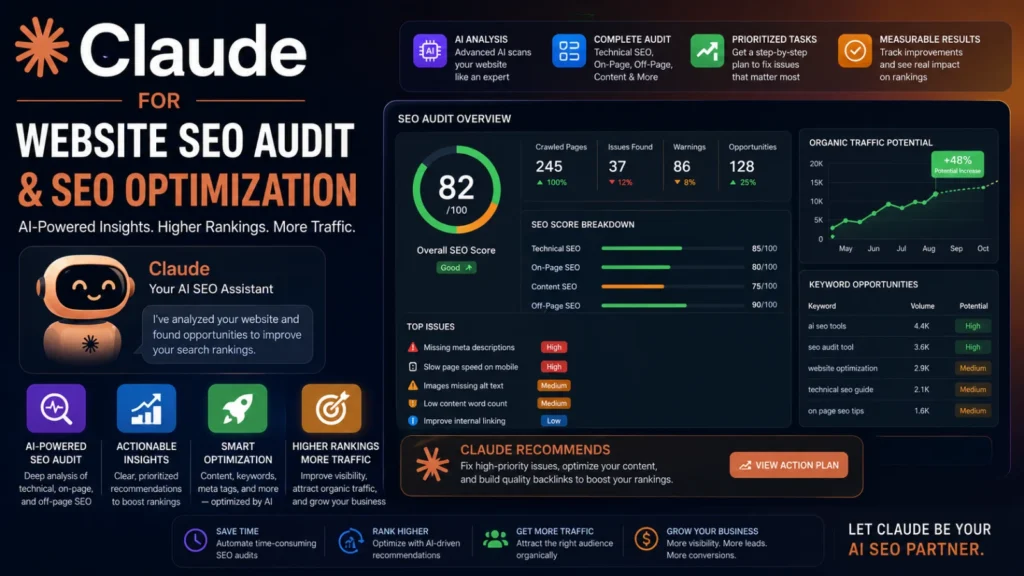
SEO tooling has traditionally meant a stack of separate subscriptions — a crawler for technical audits, a keyword tool for research, a rank tracker, a content brief generator, a schema markup builder — each with its own login and its own export format. Increasingly, teams are consolidating a chunk of that workflow into a single AI assistant instead, using Claude to fetch pages, reason about what’s actually wrong with them, and generate the fixes directly.
This isn’t a single built-in “SEO mode” inside Claude — it’s a combination of Claude’s native browsing/reasoning tools plus an SEO-specific skill set installed through Cowork’s plugin system. Here’s an honest breakdown of what’s actually doing the work.
What Claude Can Do Natively, Without Any Extra Setup
Before any SEO-specific plugin enters the picture, Claude (particularly in Cowork mode) already has a few capabilities that matter for SEO work:
Web fetching and search. Claude can retrieve a live page’s HTML, meta tags, headings, and rendered content, and cross-reference it against current search results. This is the foundation every audit in this category depends on — no crawl, no analysis.
Claude in Chrome. Straight web-fetch tools return raw HTML, which falls short on JavaScript-heavy, client-rendered pages (common on React/Vue-built marketing sites). Claude in Chrome renders the page like a real browser would, which matters for auditing sites where content loads dynamically.
Artifacts and live dashboards. Audit findings don’t have to stay as one-off chat responses. Claude can build a persisted, reopenable dashboard that re-pulls data from connected tools each time it’s opened — useful for a recurring “site health” view rather than a single snapshot.
File and document handling. Exported keyword lists, Search Console CSVs, or crawl reports from other tools can be dropped in and analyzed directly, even without a live connector to the source tool.
The SEO Skill Set: What’s Actually Available
The specific commands used throughout a real SEO workflow come from an installable skill/plugin package (in this workspace, the SearchFit.ai plugin) rather than being native to every Claude account by default. Skills and plugins are addable through Cowork’s plugin marketplace, so the exact list below reflects what’s installed here — worth checking your own plugin marketplace for the current equivalent set.
Audit and diagnostics
SEO Audit — a full crawlability, meta tag, heading, image, structured data, internal linking, and mobile/accessibility review of a URL or codebase, scored 0-100 with issues split into critical/warning/opportunity tiers.
SEO Check — the fast version of the above: a single-page pass/fail/warn readout for title tags, meta description, headings, images, schema, links, canonical, and Open Graph tags. Built for quick spot-checks rather than a full report.
Technical SEO — focuses specifically on the infrastructure layer: site speed, Core Web Vitals, crawlability, indexation, robots.txt, sitemap health, and render-blocking resources.
On-Page SEO — takes a target keyword, search intent, and audience, then evaluates and rewrites a specific page’s title tag, meta description, headings, and internal linking against that target.
Broken Links — finds and helps fix dead internal/external links across a site or codebase.
Keyword and content planning
Keyword Clustering — takes a raw keyword list (or a seed term to expand from) and groups it into topic clusters mapped to specific pages, avoiding keyword cannibalization across pages that would otherwise compete with each other.
Content Strategy — analyzes a site and produces a broader content roadmap: gap analysis, topic prioritization, and an editorial plan.
Content Brief — generates a detailed writing brief for a single planned article before anyone starts drafting.
Create Topic / Create Content — researches a topic and either produces a full topic plan (keyword mapping, angle, competitive positioning) or a complete SEO-optimized article with title, meta description, headings, and schema.
Structure and markup
Schema Markup / Generate Schema — produces ready-to-paste JSON-LD structured data matched to a page’s actual content type (Article, Product, FAQ, LocalBusiness, and so on).
Internal Linking — analyzes site architecture for orphan pages, weak link equity distribution, and anchor text diversity.
Emerging and international SEO
AI Visibility — a newer category covering how a brand appears in AI-generated answers (ChatGPT, Claude, Gemini, Perplexity), sometimes called GEO or AEO — distinct from traditional search ranking but increasingly relevant.
Content Translation / Translate Content — localizes content for international SEO with proper hreflang handling and cultural adaptation, rather than a flat machine translation.
What’s Missing: Connectors for Live SEO Data
This is worth being direct about: as of writing, there’s no dedicated connector in the general marketplace for pulling live data directly from Google Search Console, Google Analytics, Ahrefs, Semrush, or Moz. A search across the connector registry for these tools currently turns up nothing purpose-built for SEO data specifically.
In practice, that means two things. First, rank tracking, real search volume, backlink profiles, and historical traffic trends aren’t something Claude retrieves on its own — those numbers still need to come from exporting a report out of the actual tool and pasting or uploading it into the conversation, at which point Claude can analyze, cluster, and summarize it. Second, everything Claude does generate directly — audit findings, on-page recommendations, schema, keyword clusters from a seed term — is built from live-fetched page content and general SEO reasoning, not from a live rank-tracking feed.
If a dedicated Search Console or Analytics connector does show up in your own marketplace, it’s worth connecting — it would close the gap between “here’s what’s wrong with the page” and “here’s how that’s actually performing in search,” which right now requires a manual export step.
A Practical Workflow
Putting these together, a reasonably complete audit-to-optimization pass looks like this: run a full SEO Audit on the site to establish a baseline and surface the highest-impact issues, then use SEO Check for fast re-verification on individual pages as fixes go in.
Run Technical SEO separately if crawlability or speed looks shaky, since that’s a distinct diagnostic pass from content and meta tag issues. For any page being actively optimized around a specific keyword, run On-Page SEO with the actual target keyword and audience defined — the output is meaningfully better when that context is provided upfront rather than guessed at. For the content pipeline feeding new pages, Keyword Clustering turns a raw keyword dump into an actual page-by-page plan, and Content Brief turns each cluster into something a writer can work from directly. Schema Markup and Broken Links are cheap, high-leverage passes worth running on a recurring basis rather than once.
The Bottom Line
Claude’s real strength in this space isn’t replacing a crawler or a keyword database — it’s collapsing the analysis, writing, and fix-generation steps that used to require switching between five different tools and doing the synthesis by hand. The audit and content-generation work is genuinely capable today; the live-data gap (rank tracking, real traffic, backlink data) is the honest limitation, and for now that still means exporting from wherever that data actually lives and feeding it in manually.
Frequently Asked Questions
Can Claude run a full SEO audit on its own, without any extra setup?
Claude’s native browsing tools can fetch a page and reason about obvious issues, but the structured, scored audit format — crawlability, meta tags, headings, schema, scored 0-100 with critical/warning/opportunity tiers — comes from an installed SEO skill or plugin, not a default built-in mode. Check your Cowork plugin marketplace for an equivalent if you don’t see these commands available.
Does Claude pull real keyword search volume or ranking data automatically?
No. As of now, there’s no dedicated connector for Google Search Console, Google Analytics, Ahrefs, Semrush, or similar tools in the general marketplace. Claude can analyze, cluster, and summarize that data if you export it and paste or upload it into the conversation, but it isn’t retrieving live volume or ranking numbers on its own.
How is this different from just using ChatGPT or another AI for SEO?
The underlying language model matters less here than the tooling wrapped around it. What actually makes this workflow useful is the combination of live page-fetching, a skill set purpose-built for SEO tasks (audits, on-page optimization, schema generation, keyword clustering), and the ability to act on file uploads like exported CSVs — not a difference in SEO “knowledge” between models.
Can Claude fix issues directly, or does it only point them out?
For content you control directly — a markdown file, a CMS export, code in a repository — Claude can rewrite title tags, meta descriptions, and schema markup, and hand you copy-paste-ready fixes. It can’t reach into a live CMS or hosting platform to push those changes itself unless that platform is connected as a tool Claude can act on.
Is this suitable for large sites with thousands of pages?
It works well for auditing individual pages or a representative sample, and for building the underlying strategy (clustering, content briefs, schema templates) that scales across many pages. Running a page-by-page audit across a very large site one at a time isn’t practical in a single conversation — that’s where a dedicated crawler that exports a bulk report, which Claude then analyzes, becomes the more realistic combination.
Does this help with “AI SEO” — showing up in ChatGPT or Perplexity answers, not just Google?
That’s a genuinely separate and newer discipline, often called generative engine optimization (GEO) or answer engine optimization (AEO). It’s covered by the AI Visibility skill mentioned above rather than the traditional technical/on-page SEO commands, since ranking in a search results page and being cited in an AI-generated answer involve different signals.
